
Short answer: To keep jewelry repair turnaround on track in the holidays, set a cutoff date for each type of job, figure out how many jobs your bench can finish in a week, and stop booking a week once it is full. Jobs that go to an outside shop need the earliest cutoffs, because shipping adds days in both directions. And tell customers where their job stands before they have to call and ask.
In this article
- What slows jewelry repair turnaround in the holidays
- Set and post holiday repair cutoff dates
- How many jobs can your bench finish each week?
- Vendor jobs need earlier cutoffs
- Envelopes, bags and tags so nothing gets lost
- Status updates, pickup reminders and slipped dates
- How Flawless POS keeps repair dates in view
- Frequently asked questions
What slows jewelry repair turnaround in the holidays
For example, a customer brings in her grandmother's ring on December 16 and asks if it can be sized by Christmas Eve. In October that is an easy yes. In the third week of December, the answer depends on how many envelopes are already waiting behind your counter, and on whether anyone has counted them.
Your jeweler has the same hours at the bench in December as in October, with a lot more envelopes. Most missed dates start at the counter, where staff keep quoting October turnaround times while the work piles up.
The calendar is tight this year. Thanksgiving falls on November 28, as late as it can, and Christmas is on a Wednesday. The first night of Hanukkah is that same evening, December 25. Many customers will want their pieces back by the weekend before, December 21 and 22, so treat that weekend as the real deadline for most gift work.
In December, bench time usually goes to the same places:
- Gift sizings on rings bought this month, often on a guessed size.
- Cleanings that turn up worn prongs, so a 10-minute job becomes a retipping job.
- Stones and parts that have to be ordered, which puts the job on someone else's schedule.
- Rework, when a sizing comes out a half size off or a solder joint shows up in polishing.
- Counter time, because your jeweler is also helping customers on a busy Saturday.
Set and post holiday repair cutoff dates
A cutoff date is the last day you will accept a job and still promise it before the holiday. One date for everything does not work, because a watch battery and a prong rebuild take very different amounts of time. Set a cutoff for each job type, based on your own bench and your own vendors.
| Job type | What drives the time | Example cutoff |
|---|---|---|
| Watch batteries | Done at the counter if you stock the cell | Until close on December 24 |
| Cleaning and inspection | Quick, but inspections find more work | December 21 |
| Chain solder or new clasp | Short bench work and clasp stock | December 17 |
| Simple ring sizing | Bench time plus polishing | December 14 |
| Prong retipping or a new head | Bench time, and sometimes a part order | December 10 |
| Stone replacement | Ordering and matching the stone | December 3 |
| Jobs sent to an outside shop | The vendor's queue plus shipping both ways | Late November, ask each vendor |
Once you have the dates, post them where customers will see them before they ask: a sign at the repair counter, a line on your website, a note on every repair ticket and a sentence in your phone greeting. Staff should be able to quote them without looking them up. If you are building your season plan now, add these dates to your holiday prep checklist so they go out with your other holiday messages.
Tip: Post the cutoff with what happens after it: "Sizings taken in after December 14 will be ready after the holiday." A clear date is easier for a customer to accept than "we're really backed up."
How many jobs can your bench finish each week?
Before you promise anything, you need to know how many jobs the bench can finish in a week. Last year's repair tickets will give you a fair estimate.
- Count real bench hoursTake each jeweler's scheduled hours for the week and subtract counter time, breaks and setup. In December, a jeweler scheduled for 40 hours may only get 30 of them at the bench.
- Find your average job timeLook at last December's jobs. Group them by type, estimate how long each type took, and weight the average by how many of each you did.
- Divide, then hold some backDivide bench minutes by the average job time. Keep a share of that back for rework, rush jobs and the surprises that come out of cleanings.
- Book promises against the numberWhen a week is full, the next promise date moves to the following week. Say so at the counter, and write it on the ticket.
For example, a jeweler with 30 bench hours has 1,800 minutes. If the average job last December took about 35 minutes, that is roughly 51 jobs. Holding 20% back for rework and surprises leaves about 40 jobs you can promise that week. Your own tickets will give you different numbers.
Triage by job type
Sort the envelopes into groups when they come in:
- Quick jobs: watch batteries, cleanings, simple sizings and chain solders. Batch them into a set block each day so they never pile up.
- Bench jobs: retipping, new heads, clasp replacements and shank repairs. These fill your weekly number, so book them carefully.
- Long jobs: stone replacements, rebuilds, custom work and anything that leaves the store. Give these the earliest cutoffs, and call the customer if anything changes.
Inspect the prongs on every piece that comes in, even for a cleaning. A ring that loses a stone the week after you cleaned it becomes your problem, and worn prongs are easiest to miss when the counter is busy. Note what you find on the ticket and offer the repair before the piece goes back to the customer.
Vendor jobs need earlier cutoffs
Anything you send out, such as watch service, hand engraving, casting, laser welding or stone recutting, depends on schedules you do not control: the vendor's queue and the carrier's. Call each vendor now and ask for their last in-date for holiday work and how long jobs are taking this month.
Then add shipping in both directions. For delivery before December 25 in the lower 48 states, the Postal Service recommends sending by December 18 for Ground Advantage and First-Class Mail, December 19 for Priority Mail and December 21 for Priority Mail Express, according to its 2024 holiday shipping announcement (opens in a new tab). Those dates are for arrival by Christmas. A piece that still has to be checked, bagged and picked up needs to arrive days earlier. If you ship insured with a different service, ask your carrier how long it is taking in December.
Work backward from the date you want the piece back. For example, if a vendor needs 10 business days and shipping takes 2 days each way, a job you want back by Friday, December 20, has to leave your store by Monday, December 2, the first business day after Thanksgiving weekend. Use your vendor's real times, not these.
Keep a simple log for every job that leaves the building:
- Vendor name and what the job is
- Date sent and tracking number
- Insured value declared
- Date the vendor promised it back
- Date promised to the customer
- A reminder to call the vendor 2 days before the due date
Status updates, pickup reminders and slipped dates
Customers worry when they hear nothing, and a lot of holiday calls to the repair counter are some version of "is it ready yet?" You can cut down on those calls by telling people first.
- At intake: hand over a receipt with the job number and the promised date, and ask whether they prefer a text or an email.
- If anything changes: a late part, a price change or more work than expected. Tell them the same day.
- When it is ready: a short message with your hours and what to bring for pickup.
- If it sits: a friendly reminder after a few days, since pickups pile up on the last weekend before Christmas.
What to say when a date slips
Call the customer as soon as you know a date will slip, before the day you promised. Give the reason in one sentence and a new date you are sure of. If the new date misses the holiday, offer another way through, and do not pick a date you cannot keep just to end the call.
Example script: "Hi Maria, it's Dana from the store. The clasp we ordered for your bracelet arrives Thursday instead of Monday, so your bracelet will be ready Saturday, December 21, after 2 p.m. If that is too late for your plans, we can put a temporary clasp on it today and fit the new one after the holiday at no extra charge."
How Flawless POS keeps repair dates in view
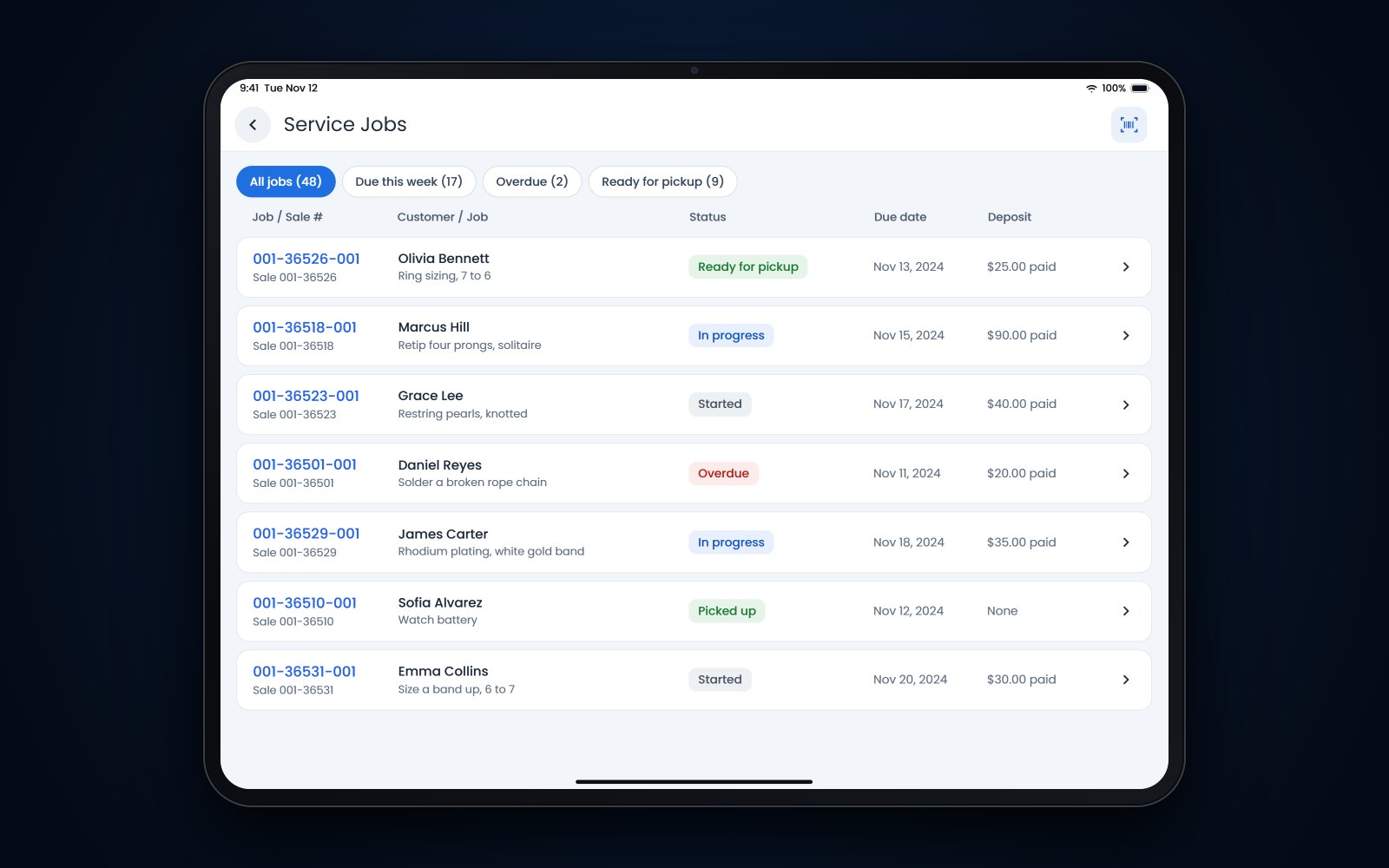
Flawless POS tracks each repair as a job with a status from intake to pickup, so whoever is at the counter can see where a job stands without digging through the safe. A deposit taken at intake stays with the job until pickup, and job photos are saved with the job.
The customer's record keeps their communication history, so the text or email you sent about a late part is there when they call back, whoever picks up the phone.
You can read more about repair tracking in Flawless or book a demo.
Frequently asked questions
How early should a jewelry store set holiday repair cutoffs?
As early as you can, and before Thanksgiving week at the latest. Vendor jobs usually need the earliest cutoff, often late November, because of shipping and the vendor's own queue. Quick jobs like batteries and cleanings can run right up to the holiday.
Should we charge a rush fee in December?
That is a store decision. If you charge one, post it, and only accept a rush job when your weekly bench number has room for it. A rush fee for a date you then miss does more harm than turning the job down.
Is it better to size a gift ring before or after the holiday?
If the size is a guess, after is usually better. Suggest the buyer give the ring as it is, with a card saying the sizing is included, and fit it properly when the recipient comes in. That saves sizing the ring twice, and it brings the new owner into your store in January.
What should we do when a customer comes in for a repair that is not ready?
Apologize, give a firm new time, and offer to text or email when it is done. Note what happened on the job so the next person who answers the phone knows. Then look at why it slipped, because one late job in December is often the first sign that the week was overbooked.