
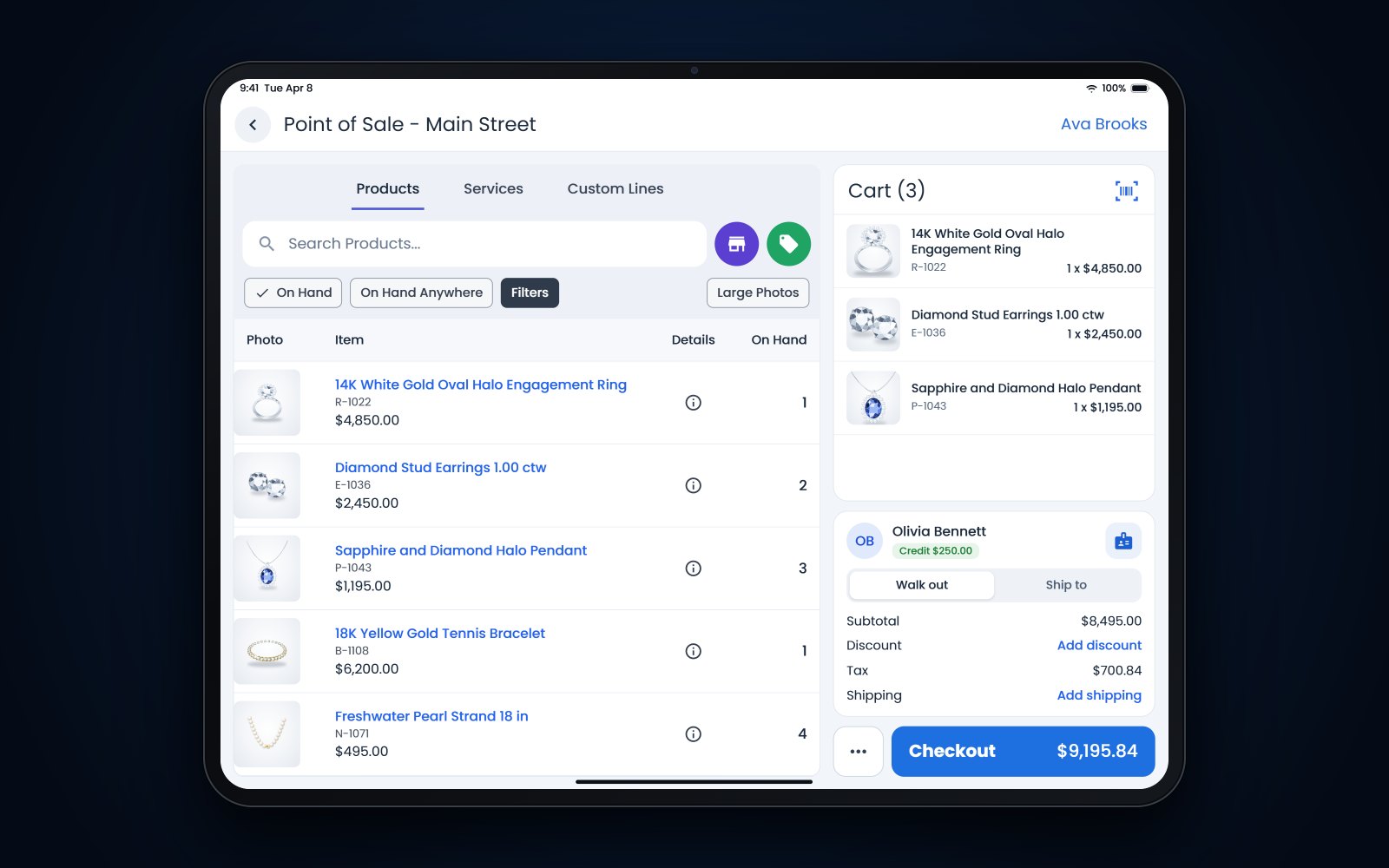
Short answer: If you're working out how to choose a jewelry POS, make every vendor run your real work in the demo, such as a layaway, a repair with a deposit, a memo return and a split-payment sale. Ask each vendor the same 20 questions and write down what the system actually did. Before you sign, check how your data will move over and who will train your staff.
In this article
- How to choose a jewelry POS with your own scenarios
- Questions about the counter and the bench
- Questions about inventory
- Questions about customers and selling online
- Questions about money and reports
- Questions about switching, training and support
- Red flags in a jewelry POS demo
- How Flawless POS answers these questions
- Frequently asked questions
How to choose a jewelry POS with your own scenarios
A sales demo is built to show software at its best, usually a quick sale and a tidy dashboard. Your Saturday looks different. A customer pays on a layaway, another drops off a ring for sizing with a $40 deposit, and someone asks whether the oval she saw last week is still on memo.
Before each demo, write down 5 or 6 real transactions from last month and ask the vendor to run them live. For example:
- A layaway with a deposit, 2 payments and a pickup
- A repair taken in with photos, a deposit and a promised date
- A special order with a deposit and a vendor due date
- A piece on memo that sells, and another that goes back to the vendor (our guide to memo vs consignment helps if your terms are fuzzy)
- A gift return paid with 2 cards and refunded as store credit
- A bridal sale with a mounting and a separate center stone
Tip: Use the same scenarios with every vendor so you compare like with like. Bring a second person to take notes, and score each group of questions from 1 to 5 right after the demo, while it's fresh.
If the vendor offers a trial login after the demo, take it. Let the person who runs your bench and your lead salesperson try the screens they would use every day, with a few of your own items and customers typed in.
Questions about the counter and the bench
At the counter
- 1. Can you run one sale with a split payment, a gift card and store credit? A good answer is a live demo that ends with a correct receipt and an end-of-day report that balances.
- 2. How do layaways and special orders work from deposit to pickup? Look for deposits tied to the customer and the item, a clear balance due, and one screen that shows everything still open.
- 3. What happens when the internet goes down? A good answer explains exactly what still works, what doesn't, and how sales catch up afterward. If the answer is that it never goes down, ask again.
At the bench
- 4. How do you take in a repair? Watch them create a job with the customer, the item, photos, a deposit and a promised date, then print the tag or envelope. Our repair intake checklist lists what to record.
- 5. How does the bench see its work? Ask how a jeweler finds today's jobs and updates a status, and how the counter knows a piece is ready or running late.
- 6. How is the customer told the repair is ready? Look for a text or email sent from the job itself and saved on the customer's record, so anyone at the counter can see it went out.
Questions about inventory
- 7. Can an item hold real jewelry details? Ask to see metal, weight, stone shape, clarity, color, carat weight and a certificate number in proper fields, and how they print on the tag and filter in reports.
- 8. How do you handle one-of-a-kind pieces, variations and bridal? You want to see a single estate piece, a style offered in several sizes and metals, and a mounting sold with a separate center stone.
- 9. How do counts work, and how are memo goods kept apart? Ask how staff count a case, what the report shows when something is missing, and whether every move of an item is kept in an audit history. Memo and consignment pieces should never land in your inventory value. Our year-end inventory count guide shows what a good count needs.
Questions about customers and selling online
Customers
- 10. What does a customer record show? Purchase history, repairs, ring sizes, birthdays and anniversaries, wish lists and past messages, all on one screen.
- 11. Can you send email and text campaigns from it? Ask how a list is built (for example, everyone who bought bridal in the last 2 years), how opt-outs are handled and where replies land. Follow-ups like the ones in our post-purchase follow-up plan depend on this.
- 12. How do you fix duplicate customers? Every store has a Bob Smith and a Robert Smith at the same address. A good answer is a merge that keeps both histories.
Online
- 13. Does the website use the same inventory as the store? If a piece sells at the counter, how fast does it come off the site? Ask to watch it happen.
- 14. Who handles product photos and search basics? Ask what help is included, what costs extra and what your staff will do themselves.
Questions about money and reports
- 15. What will it cost in total, in writing? Ask for every line: software, setup, data migration, hardware, support, and any fees per user, per store or per transaction. Ask what changes after the first year and how long the contract runs.
- 16. How do card payments work, and who handles card security? Ask whether you can choose your processor, what processing will cost, and what your store is responsible for under the PCI security standard. The requirements in version 4 of that standard that were marked future-dated took effect on March 31, 2025.
- 17. Which reports will we use every month? Look at sales by category and salesperson, margin, aged inventory, commissions and end of day. Ask how your accountant gets what they need.
Ask for the contract itself before the final demo. Read the term, the renewal clause, what happens to your data if you cancel, and any fee for leaving early. It is much easier to ask for changes while the vendor still wants your business.
Questions about switching, training and support
- 18. What data comes over, and can we see a test migration first? A good answer names the data (inventory with details and photos, customers, sales history, open repairs, layaways and gift card balances) and offers a test run on your own data before go-live.
- 19. Who trains our staff, and how? Ask how many sessions, whether training happens in your store or online, and who you call on your first busy Saturday.
- 20. When something breaks, who answers, and can we take our data with us if we leave? Ask for support hours and how fast you reach a person. Ask what format an export comes in and whether it costs anything.
Red flags in a jewelry POS demo
- The rep won't run your scenario live, or keeps saying they can do that without showing it.
- Jewelry details live in a notes field instead of fields you can search and report on.
- Repairs or memo goods run in a separate program or a spreadsheet, so each customer's history is split between them.
- Pricing you can't get in writing, or a long contract with an early termination fee.
- No test migration, or a vague answer about which data comes over.
- Support only by email, with no way to reach a person while your store is open.
- You can't export your own data, or exporting costs extra.
One red flag on its own may have a fair explanation, so ask about it. Several together usually mean the system was built for a different kind of store, and your staff would work around it every day.
How Flawless POS answers these questions
Flawless POS is point of sale and store management software for independent jewelry stores and wholesalers, built and maintained by its own team in the US. Retail and wholesale run in one system. At the counter that means sales, returns, layaways, special orders, gift cards and store credit. At the bench, repairs and custom builds are tracked by status, with deposits from intake to pickup. Wholesale memos and invoices live in the same place.
Items carry jewelry details such as shape, clarity, certification and carat weight. Customer records keep purchase history, important dates and the messages you've exchanged, and email and text campaigns are part of the same system. Your website is built from your store's own inventory.
When you switch, the Flawless team moves your inventory, customers and sales history, runs test migrations before go-live, and handles setup and training. Bring your scenarios to a 30-minute demo and ask us all 20 questions.
Frequently asked questions
How many jewelry POS systems should we look at?
Looking at 2 or 3 serious options is usually enough, because after that the demos start to blur together. Narrow the list with a short call first, then give the finalists your full set of scenarios.
Is cloud software better than software installed on our own server?
Each has trade-offs. Cloud software runs in a browser or an app, and the vendor handles updates and backups, while installed software runs on hardware you maintain. With either kind, ask about backups, what works when the internet is down, and what happens to your data if you leave.
Who should come to the demo?
The owner, the person who runs the bench and your strongest salesperson, if you can spare them for an hour. Each one will test the part they know best and notice problems the others miss.
What should we ask other jewelers about their POS?
Ask what surprised them after go-live, how the data migration went, and how fast support answers on a Saturday. Ask whether they would choose the same system again, and ask each vendor for references from stores like yours.