
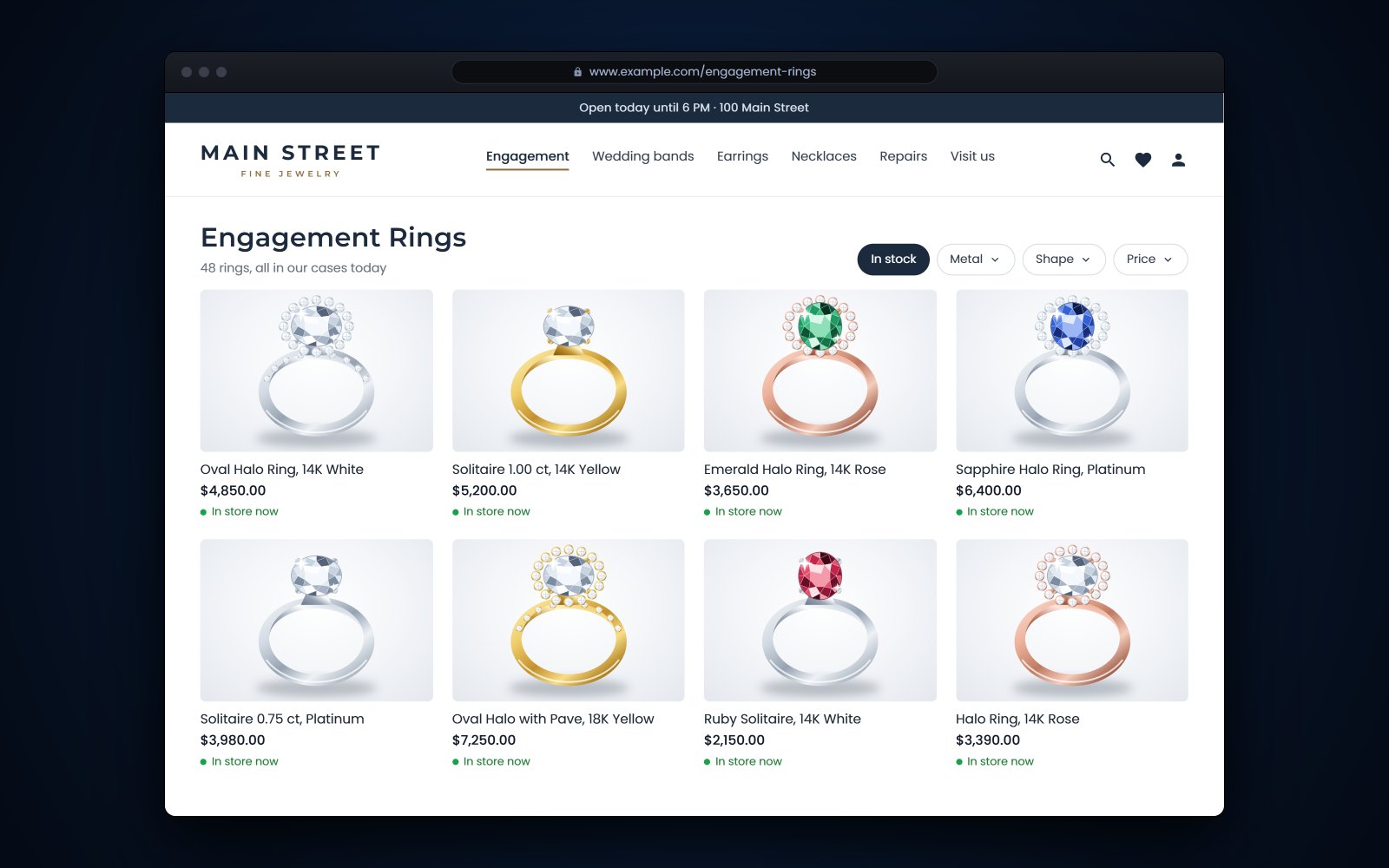
Short answer: A jewelry store website should show what you can actually sell today, at the price you would ask at the counter. The dependable way to get there is to run the site from the same inventory as your POS, so price, availability, photos and details change in one place and a piece sold in the store comes off the site right away. One-of-a-kind pieces need the most care, so mark them held or sold the moment they leave the case.
In this article
- Why a jewelry store website has to match your cases
- What to sync between your POS and your website
- One-of-a-kind pieces, holds and memo goods
- Reserve online, pick up in store
- Product pages that help shoppers find you
- Photos that sell jewelry online
- Connect your website and your Google Business Profile
- How Flawless POS keeps the website and the cases in step
- Frequently asked questions
Why a jewelry store website has to match your cases
For example, at 2 p.m. on a Saturday a customer buys a one-of-a-kind sapphire ring at your counter. At 9 p.m. someone else finds the same ring on your website and orders it. On Monday you are on the phone apologizing and issuing a refund. If your website and your cases are kept up separately, something like this will happen sooner or later.
When the website and the cases disagree, it costs you in several places:
- Calls and messages. "Is this still available?" turns into a question your staff answer every day, and each answer means a walk to the case or the safe.
- Trust. A customer who orders a piece and then hears it was already sold is less likely to try your website again.
- Price mistakes. If you reprice in the store after a move in gold but not online, someone will find the old price and ask you to honor it.
- Staff time. Someone has to remember to update the site by hand, and on a busy weekend that is the first job to slip.
The fix that lasts is a single inventory that both the counter and the website read. A sale or a price change is entered once and shows everywhere.
What to sync between your POS and your website
Syncing means more than a quantity number. For a jeweler, these are the fields that matter:
| Field | Why it matters | Watch out for |
|---|---|---|
| Availability | A sold or held piece must leave the site or show as unavailable. | One-of-a-kind pieces with a quantity of 1. |
| Price | The online price should match the tag. | Repricing after a metal move, and sale prices that have ended. |
| Photos | Shoppers buy what they can see. | Old photos on a piece that was polished, re-set or resized. |
| Title and description | Shoppers and search engines read them. | Vendor copy pasted onto dozens of other sites. |
| Jewelry details | Metal, karat, stone, carat weight, color, clarity and certificate answer most questions. | Back-office shorthand like "14KY RD .50CTW" that shoppers can't read. |
| Variants | Ring sizes and metal colors of the same style. | A size that sold out but still shows. |
| Location | Which store has the piece, if you have more than one. | Pieces moved by transfer but not updated online. |
Tip: Run a weekly spot check. Pick 5 pieces from the cases and look them up on your website. Price, photo and availability should all match. If one doesn't, find out why now, before the holiday rush makes it harder.
One-of-a-kind pieces, holds and memo goods
Most retailers sell many copies of the same item. A jeweler often sells exactly one. Estate pieces, custom work and designer one-offs have a quantity of 1, so there is no buffer. The first sale, online or in the store, ends it.
Holds
When a customer asks you to hold a piece, record the hold in your POS instead of on a sticky note. The website should treat a held piece as unavailable, or show it as on hold, until the hold ends. Give every hold an end date and a customer name, so nobody has to guess on Friday whether that bracelet is still promised.
Estate and one-of-a-kind pieces
When one sells, it has to come off sale online at once. Some stores keep the page up for a few weeks marked "sold", with links to similar pieces, so a shopper who arrives from a search still finds something to look at.
Memo and consignment goods
Goods you hold on memo belong to the vendor. Before you list them online, check your memo agreement, since a vendor may have rules about online listings, and a memo piece can be called back. When a memo piece goes back, it has to leave the website the same day. Our guide to memo vs consignment covers how to track goods you don't own.
Reserve online, pick up in store
Plenty of online jewelry sales are best finished in person. A customer reserves an engagement ring on your website, comes in to try it on, and you size it on the spot. You get a visit, a fitting and a chance to show the matching bands.
- Decide what can be reservedMany stores allow it on anything in stock. Some require a deposit above a set price.
- Treat the reservation as a holdThe piece is held in your POS for a set time, for example 48 hours, and stops showing as available online.
- Confirm right awaySend a confirmation with the piece, when the hold ends, your hours and what to bring.
- Check ID at pickupFor high-value pieces, match the name on the order to a photo ID before anything leaves the store.
- Release on timeIf nobody comes in, call once, then release the hold so the piece is back on sale online.
Product pages that help shoppers find you
Your product pages are where Google and shoppers learn what a piece is. Google's SEO starter guide (opens in a new tab) asks for page titles that are unique to the page and describe it accurately, and for content written from your own knowledge.
Titles
Lead with what a shopper would type: metal, stone, shape and style. For example, "14K Yellow Gold Oval Sapphire Halo Ring" tells a shopper far more than "Ring 10452". Add the carat weight when it drives the price.
Descriptions
Write 2 or 3 sentences in your own words, then list the details: metal and karat, stone type, carat weight, color and clarity, measurements and certificate. Google says duplicate text is not a spam violation. Still, a vendor's paragraph that appears on 50 other sites tells a shopper nothing about your piece.
Alt text and file names
Alt text is a short description of an image for people who can't see it, and Google reads it too. Google's image guidelines (opens in a new tab) favor specific, descriptive alt text and warn that stuffing it with keywords can make a site look like spam. File names give Google only light clues, but a descriptive name costs nothing.
| Weak | Better |
|---|---|
| ring | 14K yellow gold oval sapphire ring with a diamond halo, side view |
| engagement ring diamond ring best rings cheap rings | Round diamond solitaire in platinum on a hand, showing the band width |
| IMG_4521.jpg | oval-sapphire-halo-ring-14k-yellow-gold-side.jpg |
Product data in search results
Product pages can also carry structured data, a small block of code that tells Google the price and availability. With it, Google may show those details right in its results, according to its product structured data guide (opens in a new tab). Ask your website provider whether your product pages include it.
- Readable title with metal, stone and style
- 2 or 3 sentences in your own words
- Full jewelry details and certificate number
- Price that matches the tag
- Specific alt text on every photo
- Descriptive image file names
- Structured data with price and availability
Photos that sell jewelry online
Online, the photo stands in for the moment a customer holds a piece. A few habits go a long way:
- One background for everything. White or light gray, the same across the site, so pieces can be compared side by side.
- Several angles. Front, side and back, plus the clasp of a chain or the gallery of a ring.
- Scale. At least one photo on a hand, an ear or a neck, so shoppers can judge the size.
- True color. Yellow gold should look like yellow gold. Check your photos on a phone, since many shoppers will see them there.
- Sharp detail. Google notes that sharp photos look better in results and appeal to people more than blurry ones.
Tip: Photograph new arrivals as part of receiving, before they go in the case. A piece set aside to photograph later can sit in a drawer for weeks.
If you are getting ready for the season, our holiday prep checklist puts website stock and photos on the list for October.
Connect your website and your Google Business Profile
Many shoppers meet your store on Google Maps or in a local search before they see your website. Your Google Business Profile should link to your website, show your real hours, including special hours for holidays, and use your business name exactly as it appears on your sign. Google's guidelines for Business Profiles (opens in a new tab) ask for the name you use consistently in the real world, a precise address, your regular hours and special hours for particular days.
If your profile and your website disagree on hours or address, fix them the same day. We cover profiles, reviews and local search in more depth in local SEO for jewelry stores.
How Flawless POS keeps the website and the cases in step
Flawless POS builds your e-commerce website from the inventory already in your store, so you can duplicate your store on the web without duplicating the work. Because the website is built from the same inventory your staff sell from, there is one catalog to keep current.
- The jewelry details you already record, such as shape, clarity, certification and carat weight, belong to the same item.
- A drag-and-drop page builder handles the pages around your products, like bridal, repairs or your store's story.
- Built-in e-commerce analytics show how the online store is doing.
- The Flawless team offers photography and SEO help.
- If you are moving from Shopify or another system, the Flawless team migrates your inventory, customers and sales history, with test migrations before you switch.
One of my favorite features is the ability to load items onto our website directly from the POS system in real time. I also love the RFID tag reading capability - it's made doing inventory regularly a no-hassle event.
See the full feature list, or book a demo and bring a few of your own pieces to look up.
See also: Jewelry website and online store.
Frequently asked questions
Should I put my whole inventory online?
Not necessarily. Many stores start with the categories people shop online, such as bridal, fashion pieces and gifts at set price points, and with pieces that already have good photos. Some list their highest-ticket pieces with an invitation to call or visit instead of a buy button.
How quickly should a store sale come off the website?
As close to immediately as your systems allow. If the website and the POS share one inventory, it happens as part of the sale. If they don't, someone has to remove the piece by hand, and on a busy day that step gets missed.
Can I list pieces I have on memo from a vendor?
Often you can, but check your memo agreement first, since the vendor owns the piece and may have rules about online listings. Make sure a memo piece comes off the website the same day it goes back. Tracking memo goods apart from owned stock also makes them easy to find in a count.
Do product pages help my store show up on Google?
They can. Clear titles, descriptions in your own words, specific alt text and product structured data all help Google understand a page. None of it can promise a ranking, and local searches also lean on your Google Business Profile.
Sources
- Google Search Central - SEO Starter Guide (opens in a new tab)
- Google Search Central - Google image SEO best practices (opens in a new tab)
- Google Search Central - Product structured data (opens in a new tab)
- Google Business Profile Help - Guidelines for representing your business on Google (opens in a new tab)