
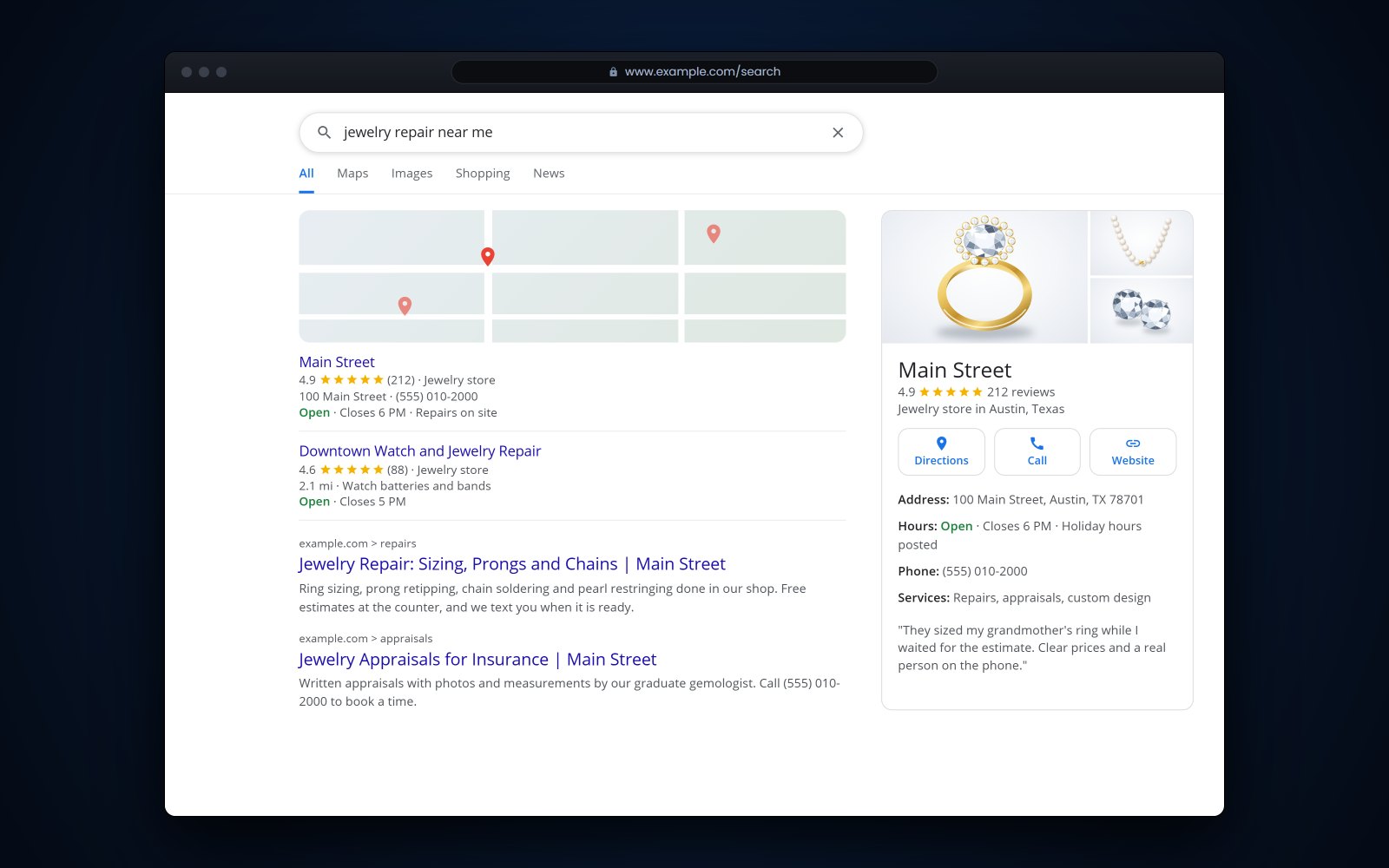
Short answer: Local SEO for jewelry stores is the work of showing up when someone nearby searches for a jeweler, a ring sizing or a watch battery. Google says local results are based mainly on relevance, distance and prominence, and that there is no way to pay for a better local ranking. In practice that means a complete Google Business Profile, genuine reviews that you answer, the same name, address and phone number everywhere, and a website with a page for each store and each service.
In this article
- How shoppers find a jeweler near them
- How to set up a Google Business Profile for a jewelry store
- How to get more jewelry store reviews within the rules
- How to reply to reviews, good and bad
- Keep your name, address and phone number the same everywhere
- What your jewelry store website needs for local search
- How to measure local SEO for jewelry stores
- How Flawless POS helps with your website and reputation
- Frequently asked questions
How shoppers find a jeweler near them
A customer's engagement ring has a loose stone, and on Saturday morning she types "jewelry repair near me" into her phone. Google answers with a map and a short list of nearby stores. If your store is not on that list, she may call someone else before she ever sees your name.
Google names 3 main factors behind that list. Relevance is how well your Business Profile matches the search. Distance is how far you are from the person searching. Prominence is how well known your business is, and Google says reviews, ratings and links from other websites feed into it.
Distance is out of your hands. Relevance and prominence are not, and the rest of this guide covers both. Google also says there is no way to request or pay for a better local ranking, so be wary of anyone who promises a top spot for a fee.
How to set up a Google Business Profile for a jewelry store
Your Business Profile is your listing in Google Search and Maps. Claim it and verify it, then work through it one section at a time.
Name
Use the name on your sign and your receipts. Google's guidelines ask for your real-world name as used consistently on your storefront, website and stationery, and say that unnecessary extra words in the name can get a profile suspended. "Smith Jewelers" is right. "Smith Jewelers Engagement Rings and Repair Downtown" is not.
Categories
Your primary category should say what you are, and for most stores that is Jewelry store. Google asks you to choose the fewest categories it takes to describe your core business and not to use categories as keywords. If repairs or appraisals are an everyday part of the business and Google offers a matching category, add it. Leave out things you do twice a year.
Hours and holiday hours
Keep regular hours exact, then add special hours for holidays and events. Google recommends confirming your hours for official holidays even when they match your normal hours. Memorial Day is Monday, May 26, and July 4 falls on a Friday this year, so set both now if your hours change. Put Black Friday, Christmas Eve and Valentine's Day on your holiday prep checklist too.
Photos
Add your own photos: the storefront so people recognize it, the cases, the bench, your team and pieces you actually sell. Google asks for photos that are in focus and well lit, without significant alterations or heavy filters. Add a few new ones every month or two.
Products, services and posts
Retailers can add in-store products with Google's free Product Editor. A dozen entries with real photos, such as engagement rings, wedding bands and a few signature pieces, are enough to show your style. List your services too: ring sizing, repairs, watch batteries, appraisals and custom design. Posts let you share an update, an offer or an event, such as a trunk show.
Questions and answers
Anyone can post a question on your profile, and any Google user can answer it. Check every week and answer as the owner, briefly and accurately: "Do you size rings while I wait?" "Do you buy gold?"
How to get more jewelry store reviews within the rules
Reviews count toward prominence, and shoppers read them before they choose a store. The reliable way to get more is to ask every customer at a good moment.
When to ask
- At pickup, when the customer sees the resized ring or the finished custom piece.
- When an engagement ring is handed over.
- A day or two after a bridal or anniversary purchase, as part of your follow-up plan.
- After you solved a problem well, such as a rush sizing before a wedding.
Google suggests asking customers to use a review link or scan a QR code. Print the QR code on a card for the repair envelope or the ring box, and keep the link ready for emails. If you send it by text, follow the consent rules in our guide to texting customers.
What Google and the FTC do not allow
Google's review policy is strict, and the FTC's rule on fake reviews took effect in October 2024. Here is a summary, not legal advice:
| Practice | Allowed? | Why |
|---|---|---|
| Asking every customer for a review | Yes | Google encourages it and suggests a review link or QR code. |
| A discount, gift or free cleaning in exchange for a review | No | Google prohibits incentives for reviews, even if you never ask for a good one. |
| Asking only the customers you know are happy | No | Google prohibits selectively asking for positive reviews. FTC staff say review gating could also violate the FTC Act. |
| Discouraging negative reviews | No | Google prohibits it, and the FTC rule bans threats and intimidation used to suppress reviews. |
| Reviews from owners, staff or relatives | No | Google treats them as a conflict of interest, and the FTC rule limits insider reviews that hide the connection. |
| Fixing a complaint, then asking for an updated review | Yes, with nothing offered | The FTC rule does not prohibit asking a now-satisfied customer to update a review. Google prohibits offering anything for it. |
Keep your name, address and phone number the same everywhere
When your details differ from site to site, customers call old numbers and drive to old addresses, and it is harder to tell which listing is current.
Write down one exact version of your details, then check every place they appear:
- Store name, spelled one way (Jewelers or Jewelry, with or without "Fine").
- Street address with one suite format (Suite 4 or Ste. 4).
- Main phone number: the store line, never a salesperson's cell.
- Website address, pointing to that location's page.
- Regular hours and holiday hours.
Check Google, Apple Maps, Bing, Yelp and Facebook, any trade or buying-group directory you are listed in, your website footer, your receipts and your email signature. If you move or change numbers, update them all in the same week.
What your jewelry store website needs for local search
Your profile sends people to your website, and the site has to answer what they came for.
A page for each location
Give each store its own page with the address, hours, phone number, map, parking notes, photos and staff. Google's guidelines ask for a website that represents your individual location, so link each profile to its location page instead of the home page.
A page for each service
People search for specific things, like "ring sizing" or "jewelry appraisal." Give each service its own page: what you do in the store, what you send out, how long it usually takes, how to book and what to bring. A page that answers "Can you fix my chain while I wait?" helps more than "We do repairs."
Real photos and real pieces
Show your own store, bench and inventory. Each product page should describe the actual item: metal, stones, size or length, and whether it is one of a kind. A piece that sold last month but still shows online earns you an awkward phone call.
Tip: Put your phone number at the top of every page as a tap-to-call link, and check that the hours on your website match the hours on Google.
How to measure local SEO for jewelry stores
Check a few numbers once a month and compare each month with the same month last year. December and February will always look different from June.
| Where | What to look at | What it tells you |
|---|---|---|
| Business Profile performance | Searches and the search terms that found you | Whether people find you for repairs, bridal, appraisals or your name |
| Business Profile performance | Calls, direction requests and website clicks | How many searches turned into action |
| Google Search Console | Clicks, impressions, average position, top queries and pages | Which pages show up in Google, and for which searches |
| Your reviews | New reviews each month and how many you answered | Whether the asking habit is holding |
| Your counter | "How did you hear about us?" | What the reports miss |
Search Console is free once you verify that the site is yours.
How Flawless POS helps with your website and reputation
Flawless POS builds your e-commerce website from your store's own inventory, so the pieces you set up in the POS can go on the web without entering them a second time. When you want help with product photos or search, the Flawless team offers a photography studio and SEO help.
For reviews and follow-up, Flawless includes marketing tools with reputation management, and every message with a customer is kept on their profile. Whoever answers a complaint can read the purchase history and past conversations first.
To see how this would work for your store, book a demo.
See also: Jewelry website and online store.
Frequently asked questions
How long does local SEO take for a jewelry store?
Profile fixes such as hours, categories and photos can show up quickly. Reviews and website pages build over months, and there is no set timeline because it depends on your area and your competition.
Can I offer a discount or a free cleaning for a Google review?
No. Google's policy prohibits incentives such as discounts, free goods or free services in exchange for reviews. You can keep offering free cleanings to everyone, as long as they are not tied to a review.
Should each of my locations have its own Google Business Profile?
Yes, if each one is a staffed store that customers can visit during its posted hours. Google allows one profile per physical location. Give each store its own page on your website and link its profile there.
What can I do about a fake or unfair review?
If it breaks Google's policy, for example because it is spam, off-topic or written by someone with a conflict of interest, report it from your Business Profile. You cannot remove a review yourself. Either way, post a short, calm reply so other shoppers can see your side.
Sources
- Google Business Profile Help - Guidelines for representing your business on Google (opens in a new tab)
- Google Business Profile Help - How to improve your local ranking on Google (opens in a new tab)
- Google Business Profile Help - How to set special hours (opens in a new tab)
- Google Business Profile Help - Manage your Business Profile photos and videos (opens in a new tab)
- Google Business Profile Help - Complete your Business Profile (services and in-store products) (opens in a new tab)
- Google Business Profile Help - Create and manage posts on your Business Profile (opens in a new tab)
- Google Maps User Generated Content Policy - Prohibited and restricted content (opens in a new tab)
- Google Business Profile Help - Tips to get more reviews (opens in a new tab)
- Google Business Profile Help - Manage customer reviews (opens in a new tab)
- Google Business Profile Help - Understand your Business Profile performance (opens in a new tab)
- Search Console Help - Performance report overview (opens in a new tab)
- FTC - Federal Trade Commission announces final rule banning fake reviews and testimonials (August 14, 2024) (opens in a new tab)
- FTC - Consumer Reviews and Testimonials Rule: Questions and Answers (opens in a new tab)